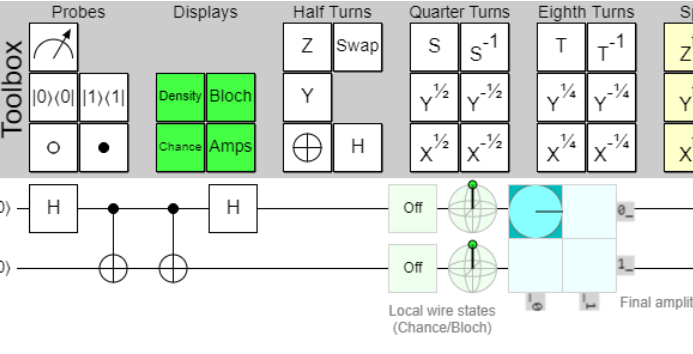

The first two parts were about the physics and the circuit structure. This part is about the practical route: how do we get from a local Fermi-Hubbard circuit to a run on IBM hardware, optionally through Q-CTRL Fire Opal?
The most important lesson is simple: treat the workflow as an experiment, not as a loose notebook. Build the circuit, export or submit it, retrieve the results, and then produce reproducible observables.
The three layers
In this repository there are three layers
- circuit construction: build the native fSWAP/snake Fermi-Hubbard circuit;
- execution route: run locally, export QASM, or submit through IBM Runtime / Fire Opal;
- post-processing: compute occupation, charge, spin, double occupancy, readout correction, and comparisons.
This separation matters. If a hardware result is poor, we want to know whether the issue is in the mapping, the hardware execution, the readout, or the analysis.
The Qiskit environment
On this machine, the Fire Opal route used a known WSL Qiskit environment
/home/bram/.venvs/qiskit/bin/python
That environment contained Qiskit, qiskit-ibm-runtime, and Fire Opal. On a different machine the principle is the same: use a separate virtual environment for hardware work and test it before submitting real jobs.
A safe order is
- create or activate a Python environment;
- install the requirements;
- run a dry run or QASM export;
- inspect the output files;
- only then submit a small hardware smoke run.
The Fire Opal route
The Fire Opal route in this repository works through QASM. The runner builds the circuits, exports OpenQASM, and can then submit separate groups.
The groups are
- main: the actual Fermi-Hubbard circuit;
- readout: calibration circuits for readout correction;
- echo: a final echo circuit for decay/fidelity diagnostics.
This split is useful. We can run a small smoke test with only main, and add readout and echo later.
Credentials
Credentials do not belong in the repository. The runner reads them at runtime. The safer route is through environment variables or the local Qiskit account configuration. In this workflow, tokens are not written to artifacts.
This is not only about security. It also makes the repository publishable. Someone else should be able to inspect the code, QASM, and results without seeing personal API keys.
What Fire Opal does
Fire Opal is a Q-CTRL performance-management layer for quantum hardware. It does not change the Hubbard Hamiltonian. It tries to improve execution on noisy hardware through hardware-aware choices, error suppression, and post-processing.
For these circuits that matters. The circuits are large enough to be sensitive to noise, but structured enough to benefit from a hardware-aware pipeline.
From job to observable
A completed quantum job is not yet a physics result. It becomes useful only after the counts are converted into observables:
\[n_\uparrow(i)=\langle n_{i,\uparrow}\rangle,\quad n_\downarrow(i)=\langle n_{i,\downarrow}\rangle\\ \mathrm{charge}(i)=n_\uparrow(i)+n_\downarrow(i)\\ \mathrm{spin}(i)=n_\uparrow(i)-n_\downarrow(i)\\ D(i)=\langle n_{i,\uparrow}n_{i,\downarrow}\rangle\]After that, we can compare against classical references such as MPS/TDVP or against a Majorana-propagation baseline.
The claim boundary
A working Qiskit/Fire Opal route means
we can submit the circuit, retrieve the result, and analyze it.
It does not yet mean
we have proven the full physical Fermi-Hubbard dynamics.
For strong claims, we still need small exact checks, classical references, and convergence studies. The setup is the machine room. The science is in the comparison.
Sources and project links
- Q-CTRL Fire Opal getting started: https://docs.q-ctrl.com/fire-opal/get-started
- IBM Quantum credentials guide: https://quantum.cloud.ibm.com/docs/guides/save-credentials
- IBM guide for Q-CTRL Fire Opal Performance Management: https://quantum.cloud.ibm.com/docs/guides/q-ctrl-performance-management
- Project repository: https://github.com/BramDo/fermi-hubbard-60q-tdvp